Monday, March 24, 2008
Cold Boot Vulnerabilities
If encryption keys are vulnerable, then so is anything else in RAM. Various tools may keep user passwords in RAM for extended periods, e.g., kdesud and sudo. Any other sensitive data one can think of is in RAM at some time or another on some machine or another.
Some have said the attack isn't practical. I think rather that it's not going to be all that common, but organized crime, law enforcement, and intelligence agencies will be the most likely to make use of it. Oh, and students. The only uncommon item needed for the exploit is Princeton's software to dump the RAM contents and find the keys, but this or similar software will be freely available, if it's not already.
I don't think this reduces the value of encryption so much as it increases the motivation for good physical security.
Sunday, March 16, 2008
About About.com Part 2: "Introduction to Security Tools"
Should we care? Maybe not, but I'm always concerned about people thinking they know something about an area when they don't. And this Introduction to Security Tools will generate a few of those people.
OTOH, I'd like to mention their Spanish Word of the Day as a worthwhile use of time.
Saturday, March 15, 2008
Nice Firefox Extension
What web page are you coming from? This will tell you what one server thinks.
To install the add-on click tools, click add-ons, and then click get extensions.
Tuesday, March 11, 2008
About About.Com
I'll comment on these from time-to-time, but overall my early impression is that they do a pretty good job. I just read the "Introduction to Security Tools" introduction to packet sniffing, and have a couple specific comments.
First, they give the impression that a sniffer can sniff an entire subnet. This is likely an intentional oversimplification. With a wired network, e.g., Ethernet, sniffing beyond a subnet requires planting a tool (malware) on a host on another subnet. However, on Ethernet, a sniffer mostly sees frames on a single LAN segment, which is more local than just the subnet. Most Ethernets are switched, and so the switches learn where various hosts are, and then filter out frames that individual hosts have no need to see.
A sniffer will still see various multicasts and broadcasts on the Ethernet, but will miss most unicasts not directed to the host running the sniffer.
On 802.11, the situation's not so straightforward. Any particular receiver may be within range of multiple subnets, and if the WLANs aren't encrypted, multiple subnets could be sniffed at one time. The other issue is that the receiver may be within range of some nodes on a subnet and not others.
This particular About U "course" includes quizzes at the end of each session.
One of the questions is predicated upon the statement that "usernames and passwords are generally transmitted across the network in" cleartext. This may be true--it certainly was up to, say, the mid '90s--but I certainly hope it's not true today.
Anyhow, I think About U is a valuable service for beginners.
Monday, March 10, 2008
David Wagner on E-Voting
Chase Website: Secure? Encouraging Good User Behavior?
In the past I've visited the Chase web site occasionally to pay my Mastercard bill, and I've always been struck by how difficult it is to get a secure login at their site. Here's the page one receives upon entry:
Note the pictures of padlocks, but no padlock in the lower right-hand corner of the Firefox window. So, it would be naive to assume they really encrypt the password as it travels from my browser to Chase. Some time back Amazon defaulted to non-secure login, but one could simply click a login button w/o entering any text, and be redirected to a secure login, from which user ID and password could be typed. Does Chase behave like this?
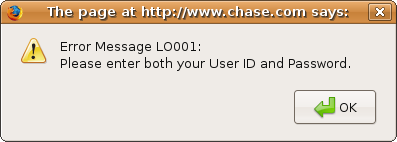
Nope, they insist upon forcing the user to use the insecure login. Or do they? I thought I should verify that Firefox really thinks this is an insecure login:
I don't think I'd suggest this to non-computer professionals, but I visited Google and searched for a secure Chase login:
They suggested https://chaseonline.chase.com, so I visited that page:
This looks better, but notice the slash through the padlock in the lower right. So, some of the page is encrypted, and some isn't. Presumably it's the fluff they send that's not, and my user ID and password, or at least my password, that is. However, a typical user isn't going to have a clue how to verify this, and so just has to trust Chase. Security is hard, and so I have little faith in a company's solution communications security solution when they decide to go their own way rather than making full use of established standards, e.g., SSL/TLS.
This last login is probably fine, but it's encouraging users--training users--to ignore the security information provided by browsers and just trust the web developers. This means they're training users to be susceptible to phishing attacks and trust the least skilled software developers out there. Maybe not a good practice.